What can we help you with today?

Find step-by-step guides, troubleshooting tips, and feature explainers

Contact Management

Archive Account Contacts

This feature allows you to archive contacts hiding them from being displayed on the account detail page

Last updated on 30 Mar, 2026

  • Go to the Account

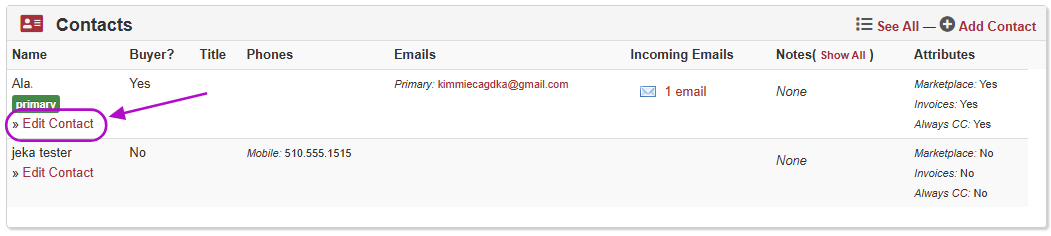
  • In the Contacts section, below the Contact to be archived, click on Edit Contact (as shown below)

  • Scroll down to the bottom of the screen

  • Check the box next to Archived? Note: Include this Contact on the Account details screen.

  • Click Save

Zight 2026-3-18 at 11.35.38 PM.png

Was this page helpful?
Previous

Mobile Access

Next