

Here's how to get there:
Click on My Account
Click on Manage
Click on Marketplace Settings
Click on Batch Update Products & Prices
In the dropdown next to the Action field, select your preferred action (as described below)
Select your preferences as needed for both the Price Label and the Flag Apply / Remove field
Click on Perform Action
What Does It Update?
It updates the three Actions below:
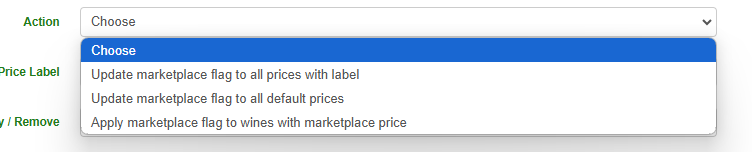
Update marketplace flag to all prices with label: this will add or remove the Marketplace flag to the selected price label
Update marketplace flag to all default prices: this will add or remove the Marketplace flag for all default prices
Apply marketplace flag to products with marketplace price: this will add or remove the Marketplace flag for products that have a Marketplace price in place