

How Does It Work?
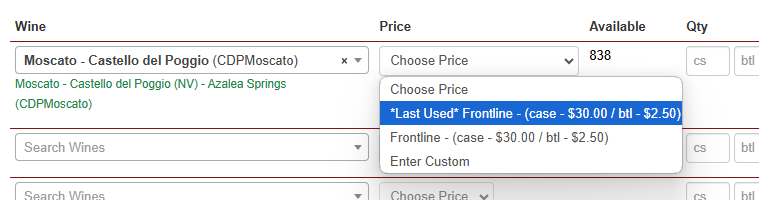
When creating a New Order for an account, this feature allows you to select a Last Used Price for an item previously purchased by this same account.
Once you've added the item to the order, in the Price dropdown menu, you can select *Last Used* Price Name.
It will display the last invoiced price listed, regardless of whether it's custom or a set price tier.
How to Enable the Last Price Used Feature (Admins only):
Click on My Account
Click on Manage
Click on Edit
Check the box for: Order Entry: Show Last Price Used? to enable the feature
Click Save