

The "Last 30/60/90 days" widget calculates the number of sales over the last 30/60/90 days. It's a high-level count that looks only at the warehouse(s) enabled to "include in the Last 30/60/90 Days Metrics?" feature.
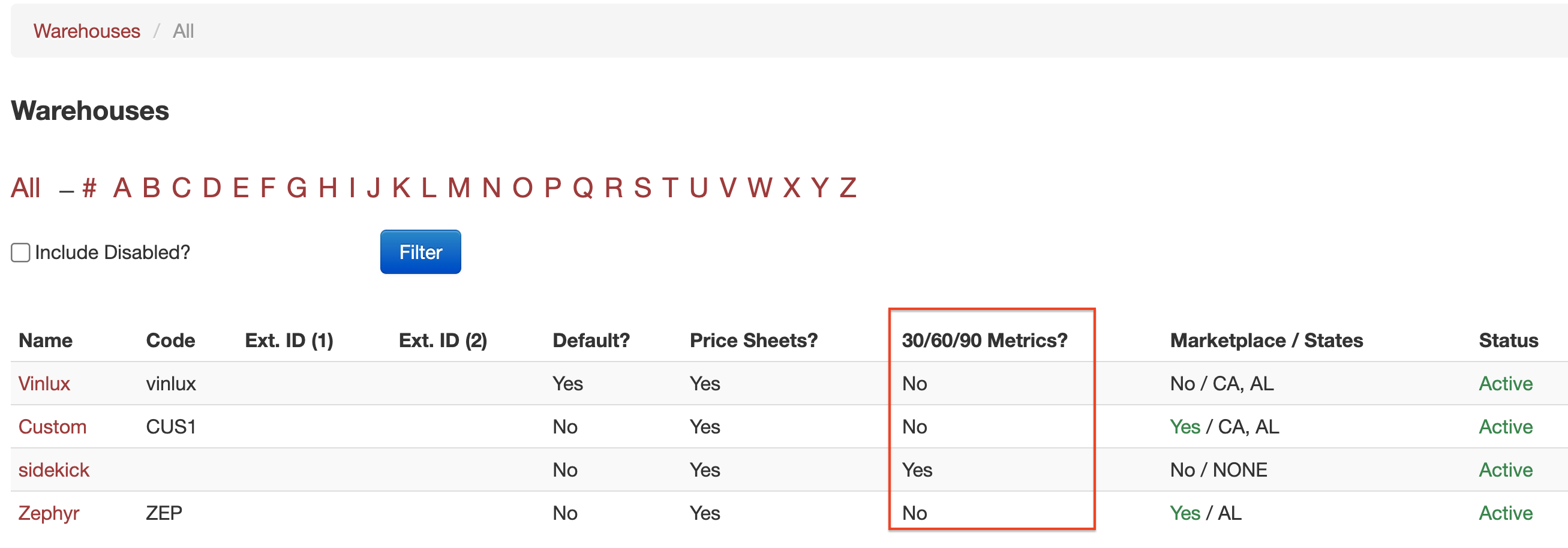
To enable a warehouse:
Click on Products
From the left navigation, under Warehouses, click on Manage
Click on the warehouse you'd like to update
Click on Edit
Check the box next to Include in the Last 30/60/90 Days Metrics?
Click Update
Sales are recalculated every 4 hours and are a rolling calculation for orders with a delivery date between "today" and 30/60/90 days ago.
The metrics are calculated by the following guidelines:
orders with a delivery date between 30/60/90 days ago and today (so no "future" orders)
Includes orders of any confirmation status (unconfirmed or confirmed)
orders that are NOT marked as Sample
orders with a warehouse enabled for this calculation (the above)
orders with an active warehouse
Another way to think of that: calculate quantities for orders SHIPPED in the last 30/60/90 days.