

When viewing an order for an account, the open balance is automatically calculated. If it exceeds the credit message, a banner will appear at the top of the screen.
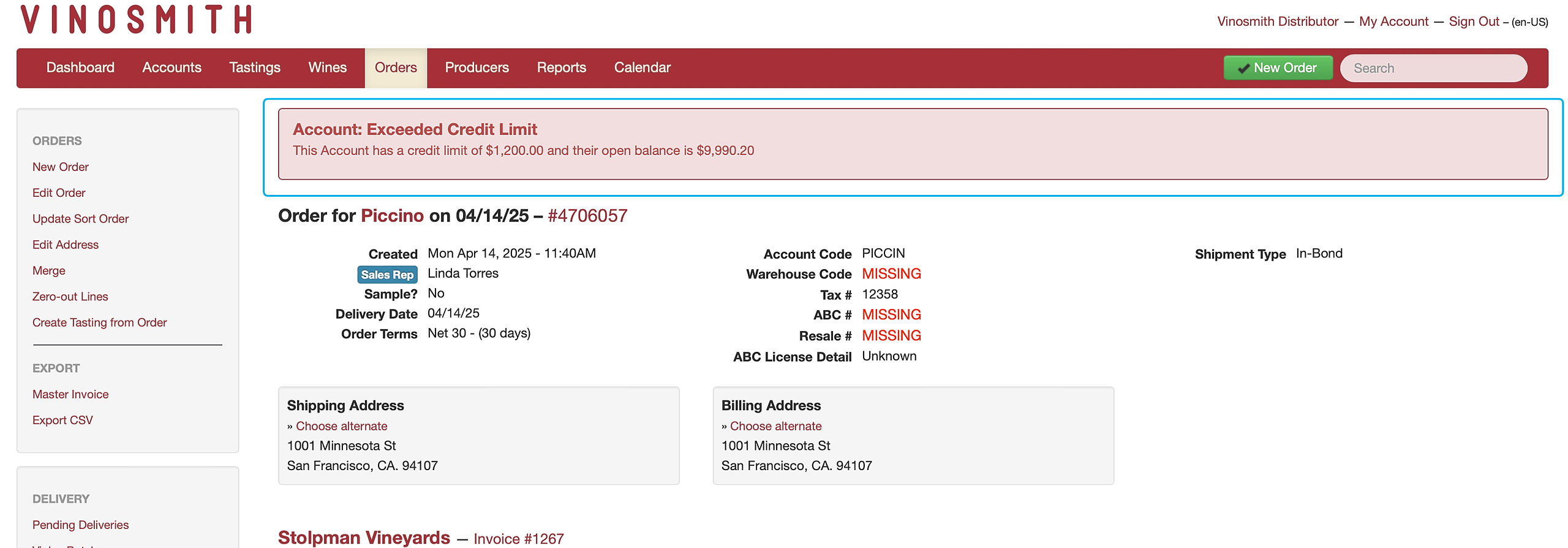
This banner doesn’t block any actions; it simply reminds users of their account’s credit limit. You can set the credit limit to $0 to disable this messaging.
Credit limits can only be assigned by editing an account and cannot be updated through batch actions.
To enable this feature:
Click on the Accounts tab at the top of the screen
Select the account you want to set the credit limit for
Once you've selected the account, on the left-hand side of the screen, click "edit account"
Scroll down to the Invoicing /Delivery section and set the credit limit. If the limit is set to zero, this will disable any limit messages
Click the blue 'Save' button at the bottom of the screen to complete this action