
How to Clone an Account:
Go to the account you want to clone
From the left-side menu, click on Clone This Account
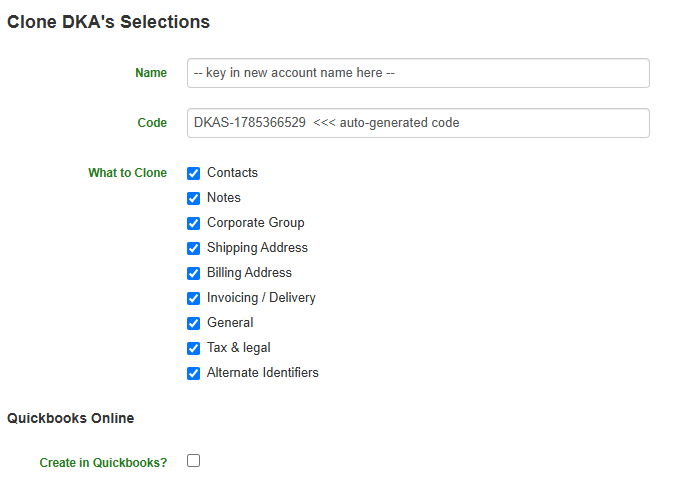
Key in the new account name
Select the appropriate parameters
Click on Perform

What can we help you with today?
Find step-by-step guides, troubleshooting tips, and feature explainers
Account Management
This feature is super helpful when new account(s) that are related need to be created and they will have the same properties. Cloning the account will mirror those properties onto the new one.
Last updated on 29 Jul, 2026
How to Clone an Account:
Go to the account you want to clone
From the left-side menu, click on Clone This Account
Key in the new account name
Select the appropriate parameters
Click on Perform