

There are two ways you can download your Account information.
Option #1 - Export Current View
Current View is the current state of your accounts as they are listed on your screen.
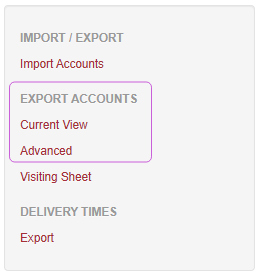
Click on Accounts
On the left-side menu, scroll down to the Export Accounts section
Here you can either:
Leave the page as it is and click on Current View to export all accounts listed
- or -
Use the Filters section at the top of the screen, click on Find Accounts, th
en click on Current View to export those results
Option #2 - Advanced Export
The Advanced export allows you to select certain parameters before exporting your accounts.
Click on Accounts
On left-side menu, scroll down to the Export Accounts section
Click on Advanced
On this screen, you can select the appropriate parameters needed for your export:
Status
Name Contains Text
Regions
Corporate Groups
Delivery Time
Click on Export