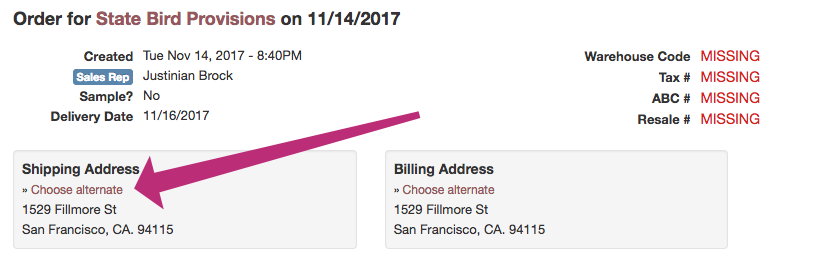
By default Vinosmith will assign the Accounts primary / default address on the Shipping & Billing address fields.
Vinosmith supports the ability to maintain any number of alternate addresses and apply these to Invoices.
Create Alternate Address(es)
Go to the Account and scroll to the bottom until you see the Alternate Addresses section.
Proceed to add as many alternate addresses as you need.
Select Alternate Addresses on Invoice
Place the Order as normal.
When you view an Order, you will see the shipping & billing address fields at the top.
Click on the link(s) for Chose Alternate
You will now be presented with a dropdown of alternate addresses - make your selection and save your changes.