

Tasting Purposes help organize and categorize tastings within Vinosmith.
A Tasting Purpose can represent an event, conference, trade show, or any custom category that fits your organization's needs.
Note: Only Admins on Vinosmith can create Tasting Purposes.
To create a new Tasting Purpose:
Open the admin settings (https://www.vinosmith.com/rep/manage-account) and click on “Manage” on the left-hand navigation menu
Next click on “Manage Tasting Purposes” (https://www.vinosmith.com/rep/tasting_types)
Click Add a New Tasting Purpose
Enter a name for the Tasting Purpose and click Create
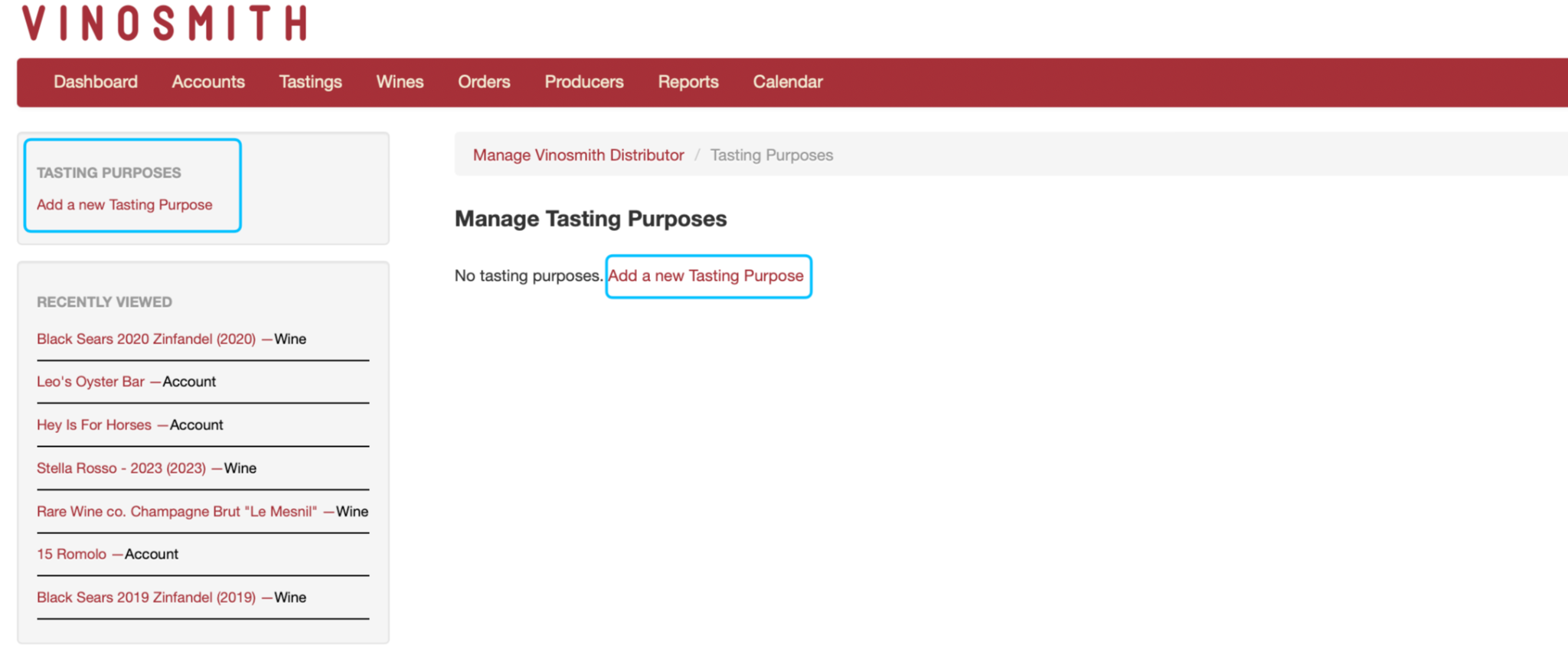
Click on Add a new Tasting Purpose to name your tasting event
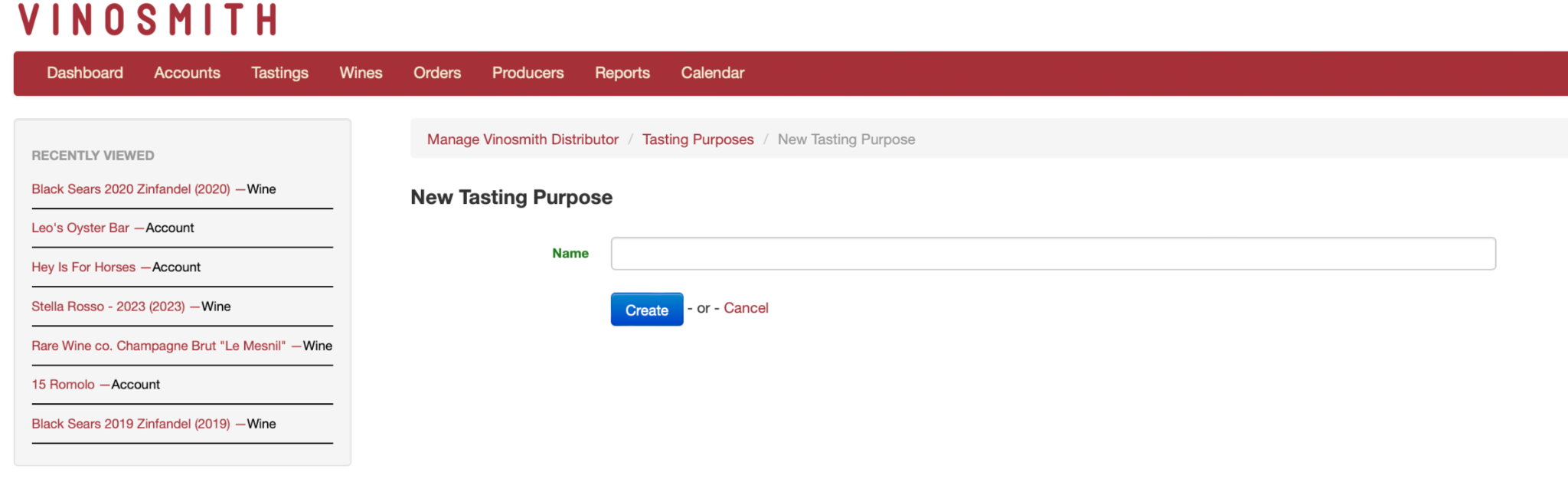
Name your Tasting Purpose and click the blue “create” button to save it
Using your Tasting Purposes
To use your tasting purposes, you can create a New Tasting or edit an existing Tasting.
In the Purpose field, open the dropdown and select the Tasting Purpose you created.
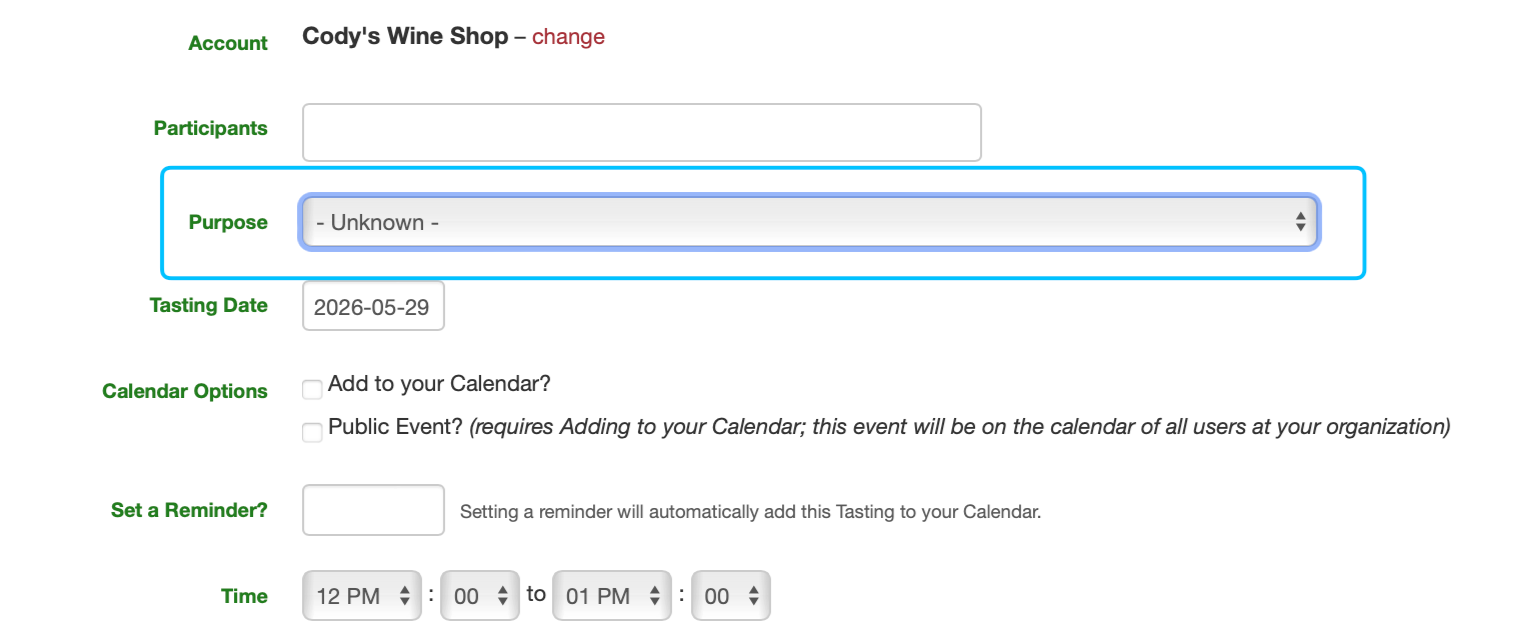
The selected Tasting Purpose will appear on the tasting event and in the Purpose column within your tastings list.
Deleting or updating Tasting Purposes
You can also update or delete a Tasting Purpose. If you return to the “Manage Tasting Purposes” section and click on the purpose you want to update or delete.
To Update
Change the name and click the blue update button
To Delete
On the left-hand side of the screen under “special” click the red delete button