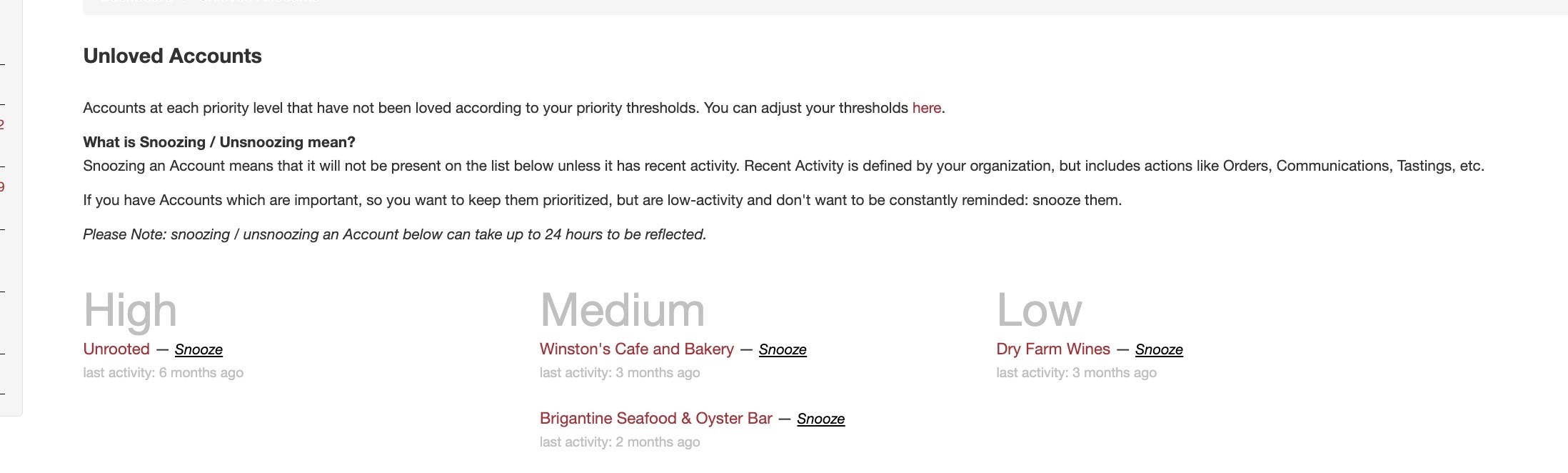
When you Snooze an Account, it won't appear on the Unloved Account list unless there is recent activity. The definition of "Recent Activity" may vary depending on your organization, but it typically includes actions like Orders, Communications, Tastings, etc.
If you have important accounts that you want to prioritize but are low-activity and don't want to be constantly reminded, you can Snooze them.
Please Note: snoozing / unsnoozing an Account below can take up to 24 hours to be reflected.
To enable the "snooze" option:
Click on My Account
Click on Manage
Click on Edit
Scroll down to the Unloved Accounts >Actions that trigger Love
Check the box next to Snooze
Click on Save Changes
Now that the "snooze" feature has been enabled, a Snooze link will be populated next to each account on the Unloved Accounts page.
The snooze will be removed from the account once there is any activity (love), or the Account Priority Love Thresholds days pass and it becomes unloved again.